Imagine trying to take a college exam where the internet is banned, your computer is locked down tighter than a vault, and if you click the wrong link, an alarm might go off. That’s the reality for thousands of students behind bars. For years, digital access in correctional facilities was either non-existent or so restricted it defeated the purpose of modern education. But things are changing fast. As we move through 2026, the conversation isn't just about whether inmates should have laptops; it's about how to give them meaningful e-learning opportunities without compromising facility security.
This balance is tricky. On one hand, educators want seamless connectivity for research and collaboration. On the other, correctional officers need absolute control over data flow to prevent contraband communication and ensure safety. If you’re running a program or advocating for policy changes, you know that "just add Wi-Fi" isn’t a solution. You need robust infrastructure, specialized hardware, and strict protocols. Let’s break down what actually works right now, separating the hype from the hard truths of implementing tech in high-security environments.
The Core Challenge: Balancing Openness with Containment
Traditional school computers let you browse Wikipedia, check email, and download PDFs. In a prison, those actions carry different risks. An unrestricted browser could allow a student to contact family members via social media (often prohibited) or leak sensitive facility information. Therefore, the central entity here isn't just the computer; it's the secure learning environment (SLE). This is a walled garden approach to computing.
An SLE typically restricts users to specific educational platforms like Coursera, edX, or proprietary LMS systems. It blocks general web browsing unless whitelisted. The goal is to provide academic utility while eliminating recreational distractions and security threats. Think of it as a library that only allows you to read books on the shelf, not talk to people outside the building. This model has proven effective in reducing disciplinary issues related to technology misuse while still delivering degree programs.
Hardware Solutions: Why Tablets Are Taking Over
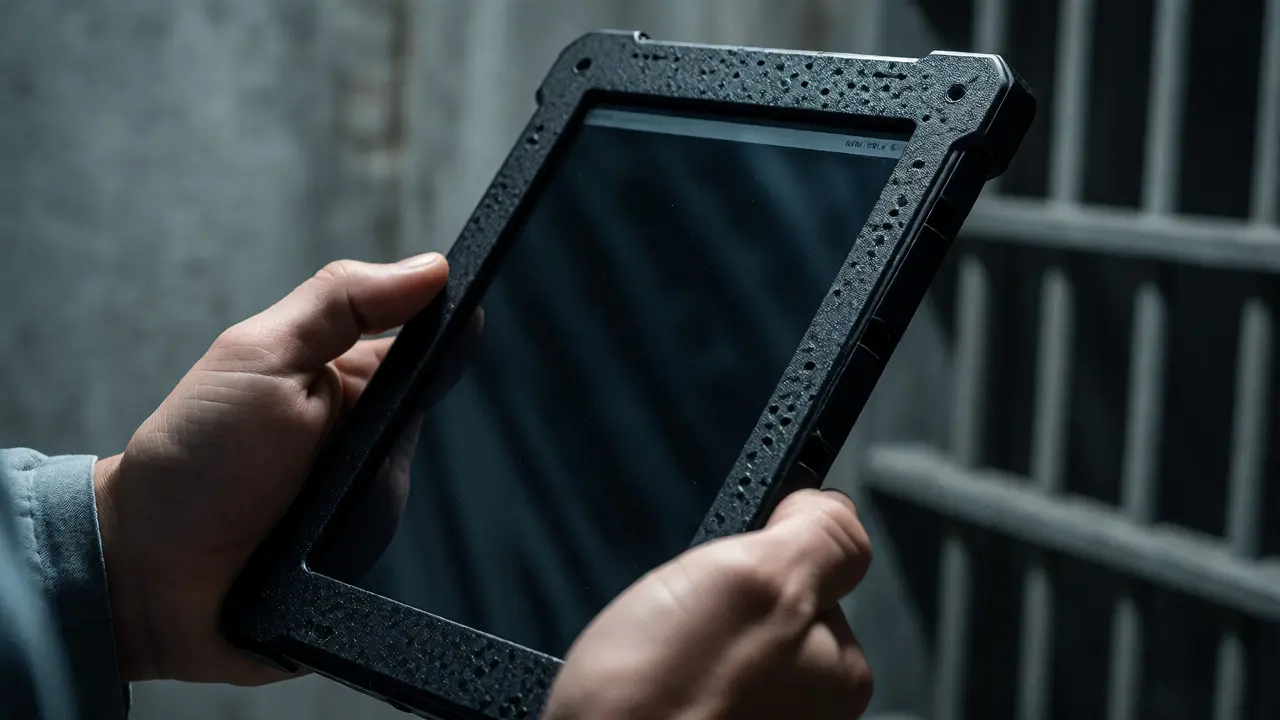
You might wonder why we aren't using standard desktop PCs anymore. The answer lies in durability and cost. Desktops have moving parts, cables, and screens that can be damaged or used as weapons. Enter the ruggedized tablet. Companies like Pellissippi State Community College partners and vendors such as Hawthorne Learning Systems have pioneered devices specifically designed for incarceration.
These aren't iPads you buy at Best Buy. They are often Android-based or custom Linux builds with no camera, no microphone, and no removable storage ports. Why? Because cameras can be used to smuggle images out, and microphones can record conversations. By stripping these features, facilities remove privacy concerns and potential surveillance tools for inmates. Additionally, these devices are encased in shatterproof shells. If a tablet gets dropped during a lockdown, it survives. If it doesn’t, it’s cheaper to replace than a $800 laptop.
| Feature | Ruggedized Tablet | Locked-Down PC | Kiosk Terminal |
|---|---|---|---|
| Portability | High (can be used in cell) | Low (fixed location) | None (fixed location) |
| Security Risk | Low (no cam/mic) | Medium (peripherals risk) | Lowest |
| Cost per Unit | $300 - $500 | $600 - $900 | $1,000+ |
| Maintenance | Easy (swappable batteries) | Moderate (cable management) | Hard (specialized IT) |
Network Architecture: Air-Gapped vs. Managed Internet
How do these devices get their content? There are two main approaches: air-gapped networks and managed internet access. An air-gapped system means the devices never touch the public internet. Content is loaded onto local servers within the facility. Students access pre-loaded textbooks, videos, and quizzes. This is the safest option but limits real-time updates. If a textbook edition changes, you wait for the next server update cycle.
Managed internet access uses a proxy server that filters traffic. Only approved URLs pass through. For example, a student might be able to access a specific university portal but not Google.com directly. This requires sophisticated firewall rules and regular audits. A common pitfall here is "link rot." Educational links change. If your firewall whitelist isn't updated monthly, students hit dead ends, causing frustration and support tickets.
Assessment Integrity: Remote Proctoring Behind Bars
One of the biggest hurdles in online prison education is proving who took the test. Without webcam proctoring, how does a professor know the student didn't just look up answers on a hidden phone? Since most secure tablets lack cameras, facilities use alternative verification methods. Some employ staff-monitored testing centers where students log into the tablet under supervision. Others use keystroke dynamics analysis-software that tracks typing patterns to verify identity.
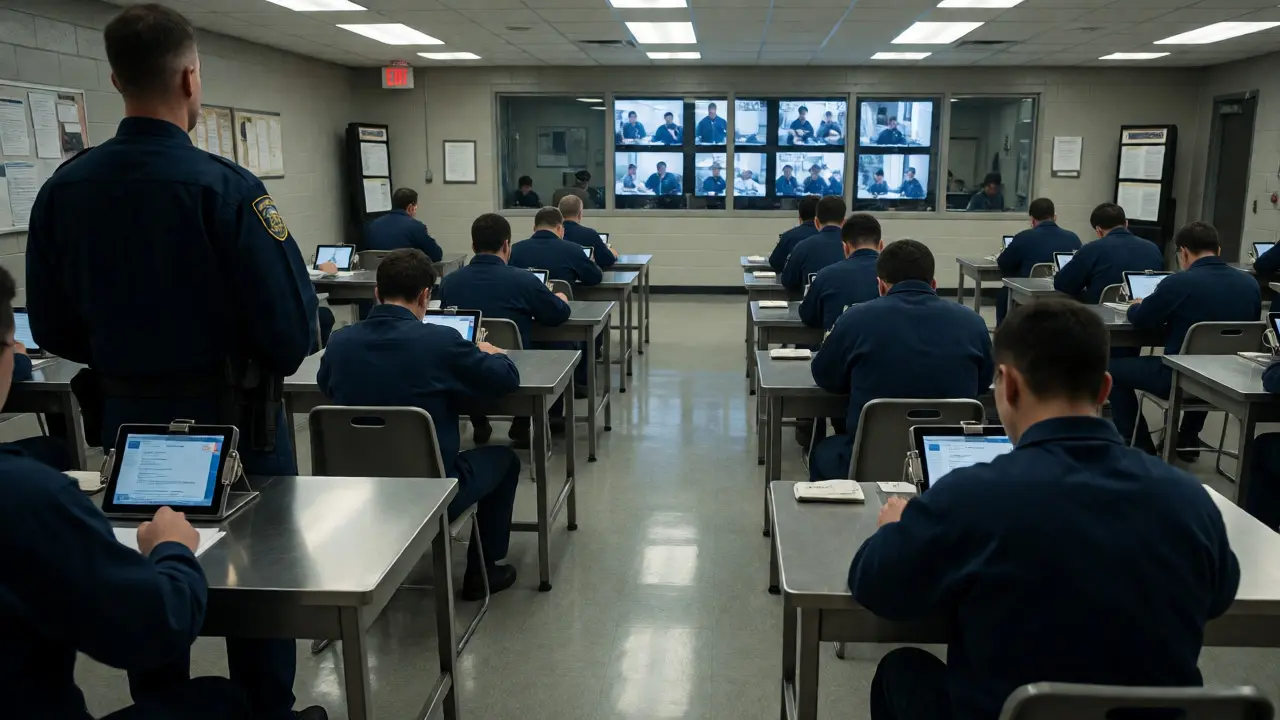
A newer trend involves hybrid proctoring. The student takes the exam on the secure tablet, but a human proctor watches via a closed-circuit TV feed in the control room. This satisfies accreditation bodies that require supervised assessment. It’s labor-intensive but necessary. Don’t underestimate the staffing burden; one proctor can typically monitor 10-15 students effectively. If you plan to scale, budget for personnel, not just software.
Data Privacy and FERPA Compliance
Even though inmates have reduced privacy rights, their educational records are still protected under FERPA (Family Educational Rights and Privacy Act). This creates a unique compliance challenge. When a third-party vendor hosts the learning platform, who owns the data? Is it the prison department or the university?
You must establish clear data-sharing agreements. Vendors should sign Business Associate Agreements (BAAs) or similar contracts ensuring they don’t sell student data or use it for marketing. Also, consider biometric data. If you use fingerprint login for tablets, that biometric template needs secure storage. Leaks can happen. In 2024, several states faced scrutiny over how inmate health and education data were handled by private contractors. Always ask: Where is the server located? Who has admin access? Can the vendor export the entire database?
Implementation Checklist for Administrators
If you are rolling out a new digital literacy or degree program, skip the generic advice. Here is a concrete checklist based on successful deployments in Texas and California state systems:
- Conduct a Needs Assessment: Survey current inmates. Do they have basic literacy? Tech familiarity? Tailor the interface complexity accordingly.
- Select a Vendor with Prison Experience: Avoid consumer-grade EdTech firms. Choose providers who understand jail culture, lock-down procedures, and staff turnover.
- Pilot Small: Start with 20-50 students in one unit. Test network stability, battery life, and help-desk response times before scaling.
- Train Staff, Not Just Students: Officers need to know how to troubleshoot basic device issues. If every glitch requires an IT visit, the program stalls.
- Plan for Device Lifecycle: Tablets degrade. Have a replacement schedule. Budget for 15% annual attrition due to damage or loss.
The Future: AI Tutors and Offline Capabilities
Looking ahead to 2027, expect more offline-first applications. Instead of streaming video, which eats bandwidth, apps will download interactive modules to the device. Artificial Intelligence tutors are also emerging. These bots can answer questions about course material without needing live instructor input, freeing up scarce teaching resources. However, AI models must be trained on curated datasets to avoid hallucinations or inappropriate responses. Rigorous testing is essential before letting an AI chatbot interact with a vulnerable population.
Digital access in corrections is no longer a luxury; it’s a necessity for recidivism reduction. Studies consistently show that inmates who earn degrees are far less likely to return to prison. By solving the security puzzle with smart hardware and strict policies, we unlock that potential. It’s not about making prison comfortable; it’s about making it productive.
Can inmates use personal smartphones for e-learning?
Generally, no. Most correctional facilities ban personal smartphones due to smuggling risks and the ability to record/video. E-learning is conducted on institution-owned, secured devices provided by the program or vendor.
What happens if a student loses their tablet?
Loss or damage usually results in a temporary suspension of access until a replacement is issued. Policies vary, but many facilities charge a small fee for lost devices, deducted from commissary funds, to encourage responsibility.
Is internet access completely blocked in prison classrooms?
Not necessarily. While general web browsing is blocked, managed internet access allows connections to specific educational domains (like Canvas, Blackboard, or Pearson) through a filtered proxy server. This ensures students can submit assignments and access cloud-based resources.
How do teachers grade papers without seeing handwriting?
Most e-learning programs focus on typed submissions. For handwritten work, some facilities use scanning stations where students scan documents to send to instructors. Alternatively, courses may be structured entirely around multiple-choice or short-answer text inputs to minimize this issue.
Are there specific certifications for prison educators?
While not always mandatory, many states prefer or require educators to complete training in correctional education standards. Organizations like the National Institute of Corrections offer resources on managing classroom dynamics in secure settings, which differs significantly from traditional schools.